Course Copy Procedures
On occasion it may be necessary to delete many items at once, for example if an incorrect course is copied into a blank section. This tutorial will show you how to make broad deletions in Blackboard Ultra:
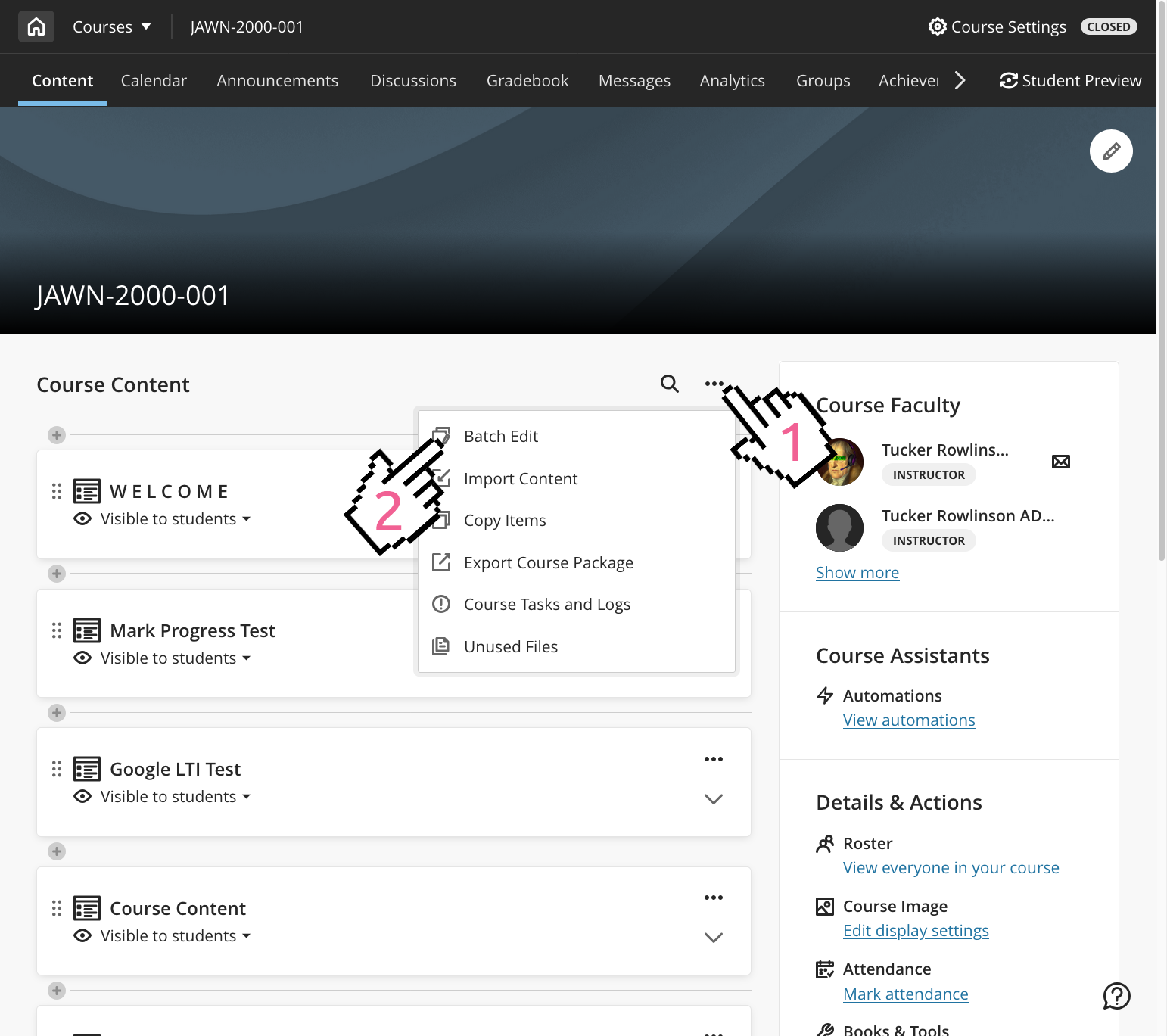
First, enter the Ultra course you would like to remove content from. Click on the three-dot menu and select Batch Edit.
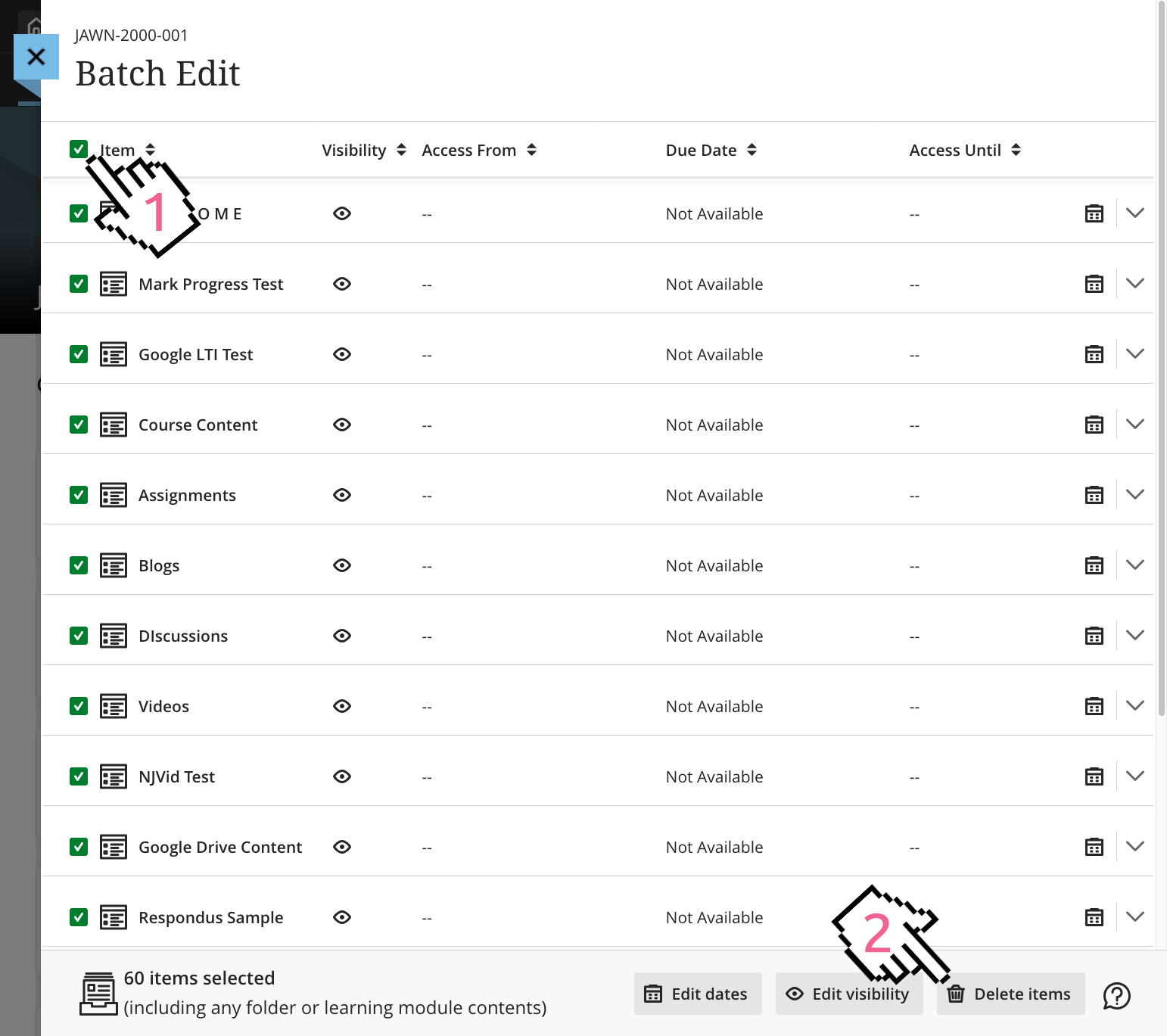
Next, select the individual items you'd like to delete, or select all with the top checkbox. Then, click the Delete button.
You'll be prompted to confirm before the items are deleted, and depending on the volume of items it may take a minute or two to complete.