Find a Math Tutor
The Math Center has moved our tutoring schedule to Ospreys Navigate! Below are instructions on how to find a math tutor for your course.
-
Open Ospreys Navigate
Go to Ospreys Navigate and log in with your GoPortal username and password.
-
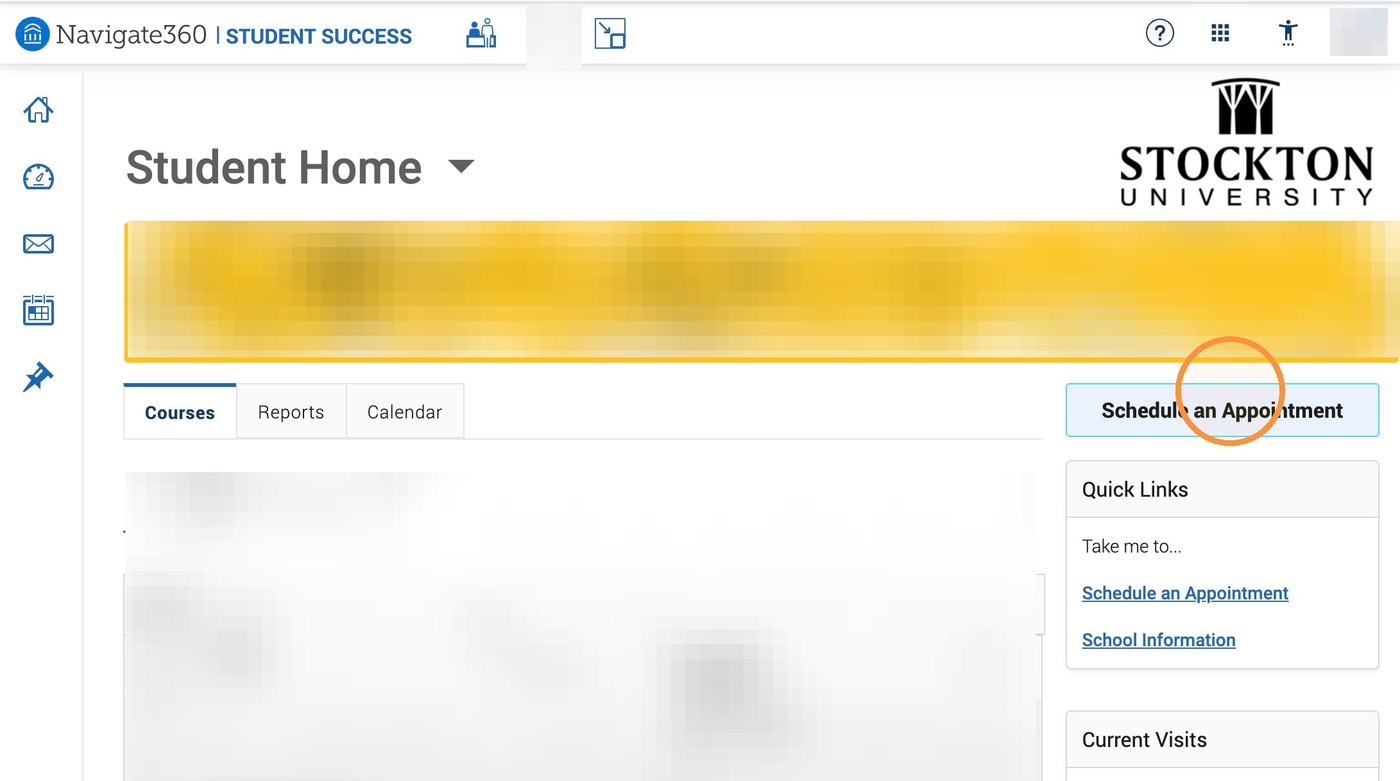
Select "Schedule an Appointment"
click the Schedule an Appointment button on your Navigate home page.
-
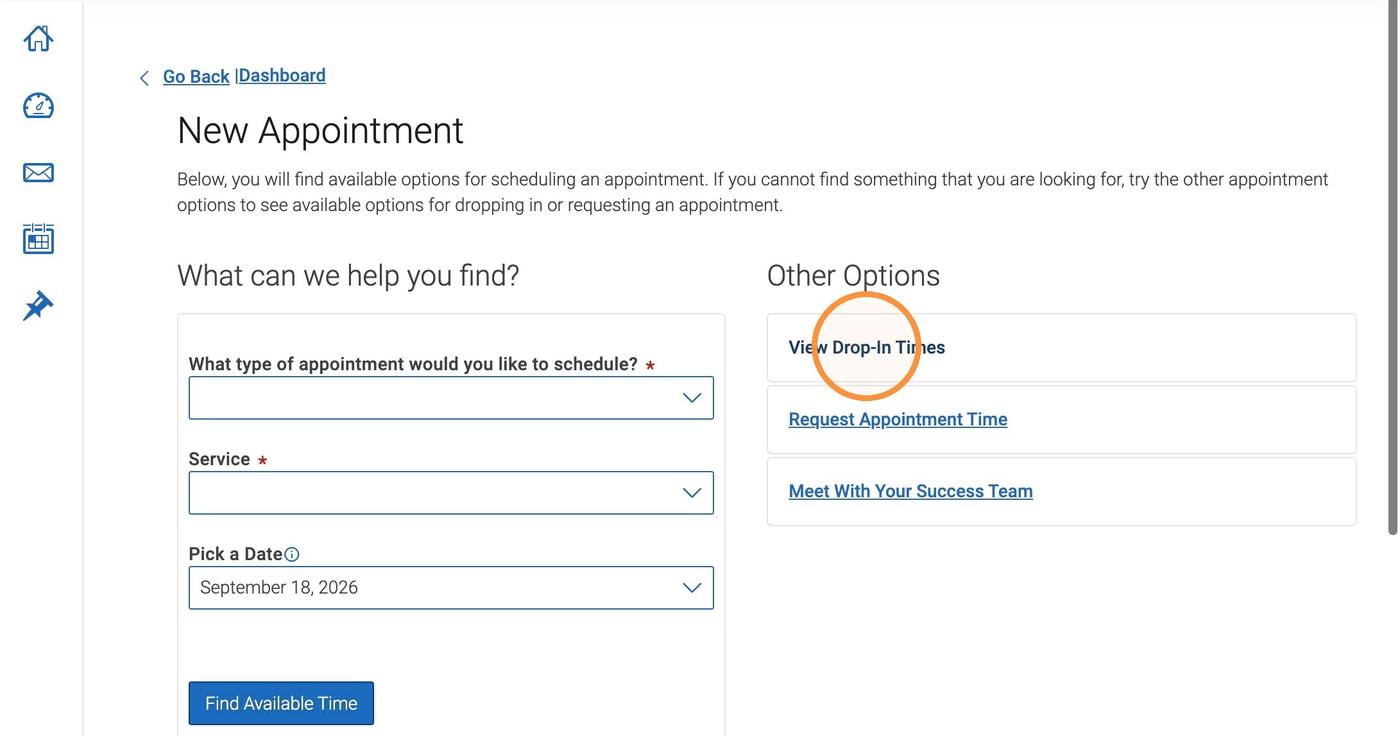
Select "View Drop-In Times"
The Math Center is a drop-in tutoring center, so no appointment is necessary.
-
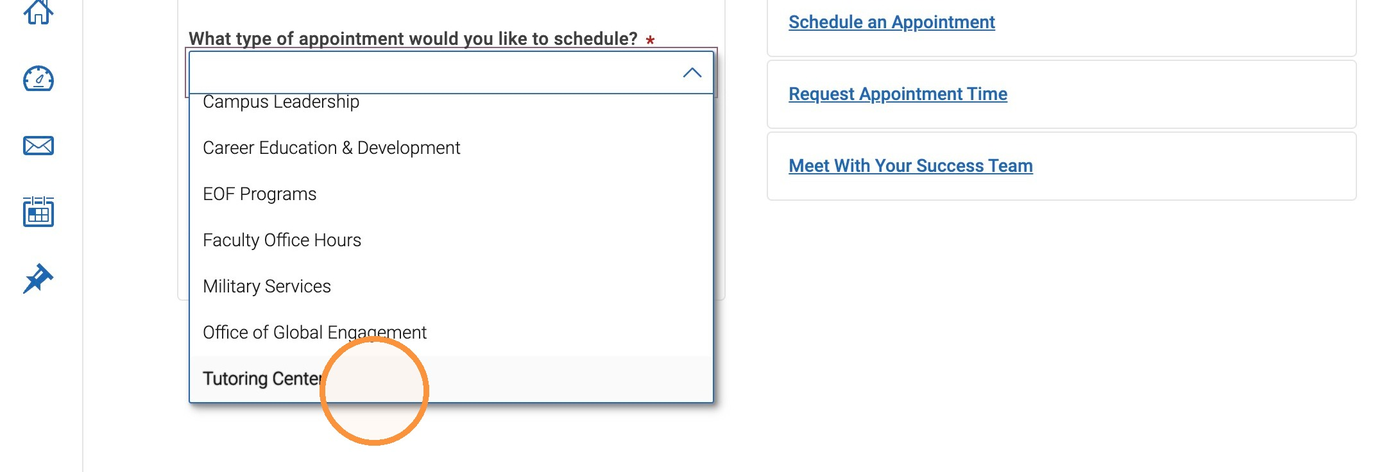
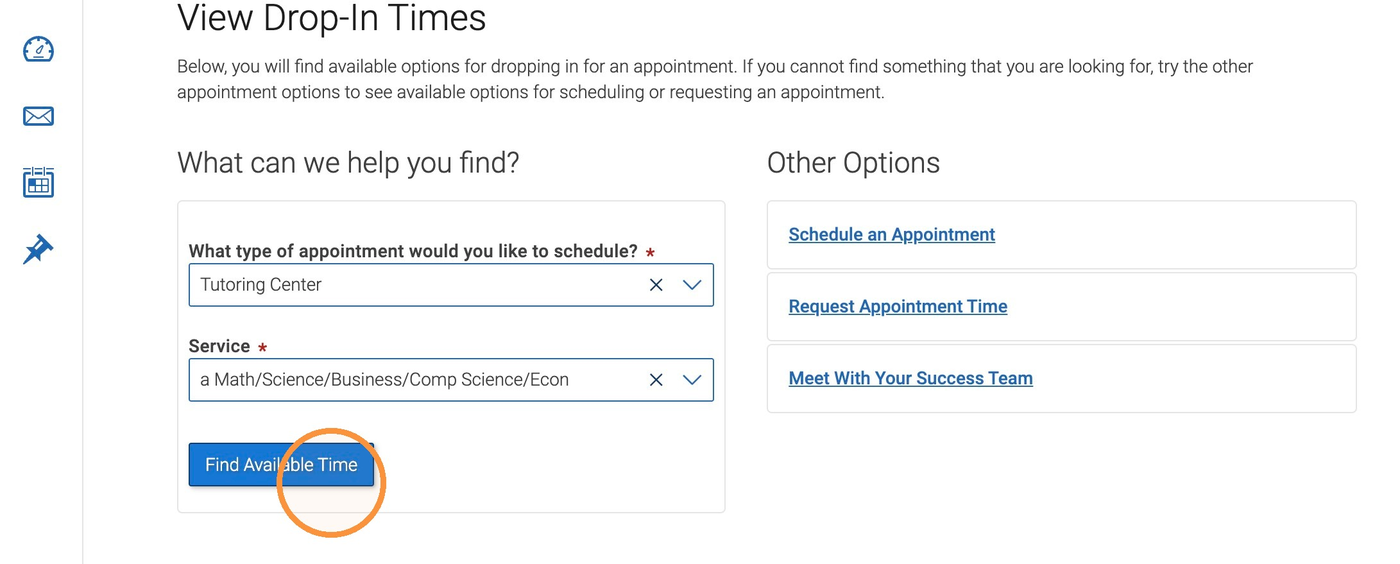
Choose "Tutoring Center"
Select "Tutoring Center" from the appointment type menu.
-
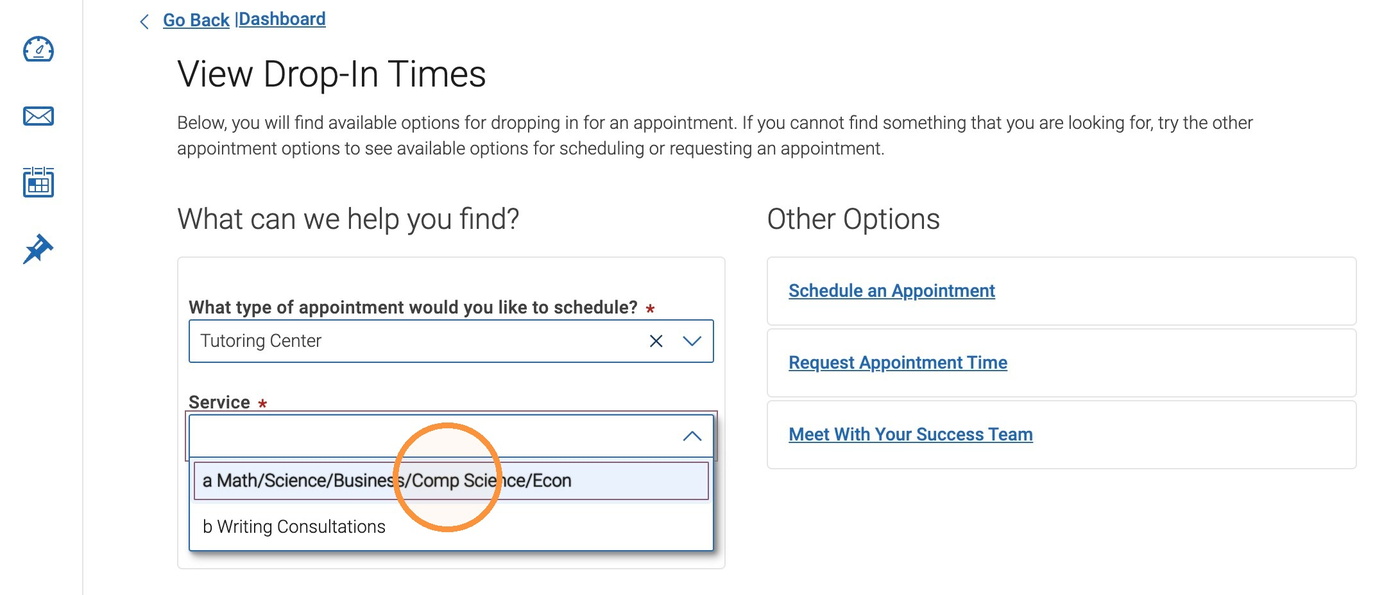
Choose your service
Select "Math/Science/Business/Comp Science/Econ."
-
Select "Find Available Time"
Select the Find Available Time button to continue.
-
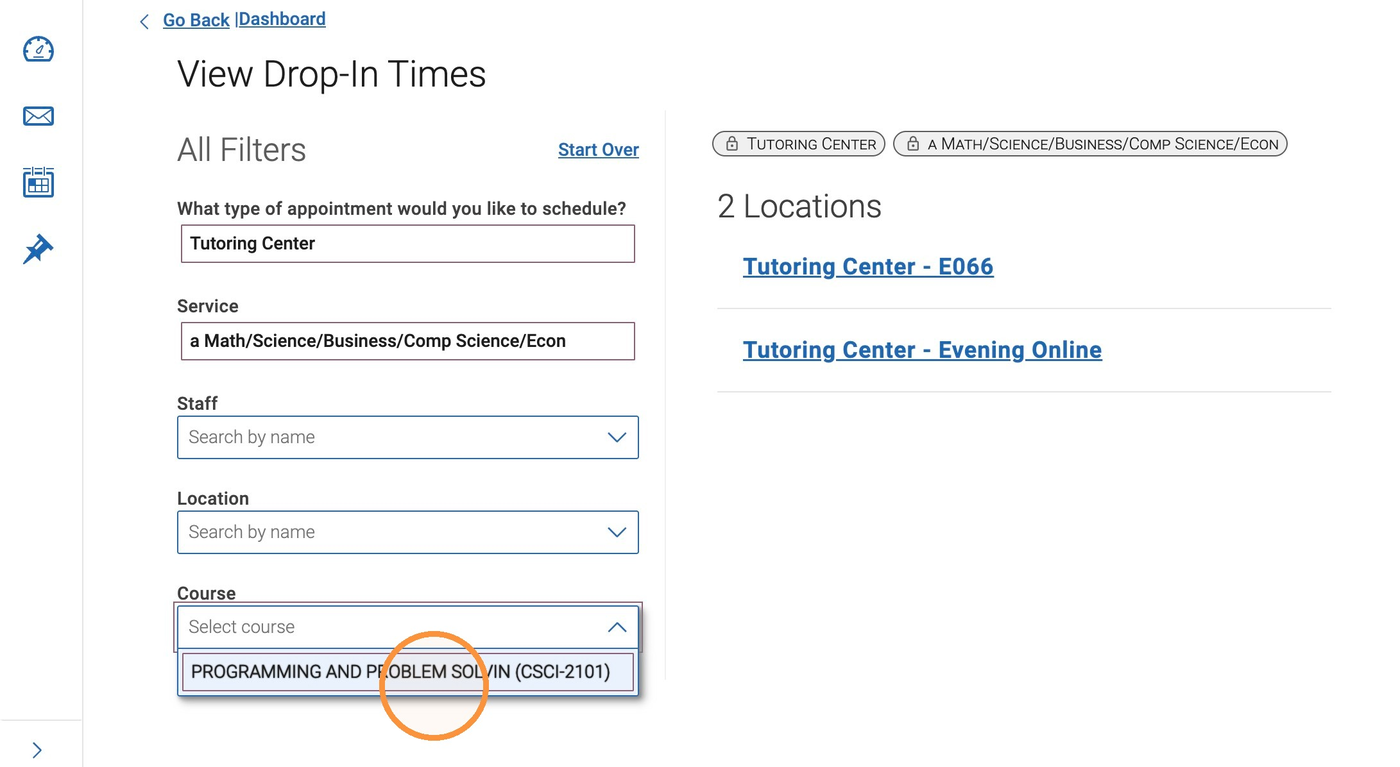
Select your course
Choose the course you want help with from the list. (Your list will show your own courses. If your course does not appear, please reach out to Luis Peña at 609-652-4897 or email Luis.Pena@stockton.edu)
-
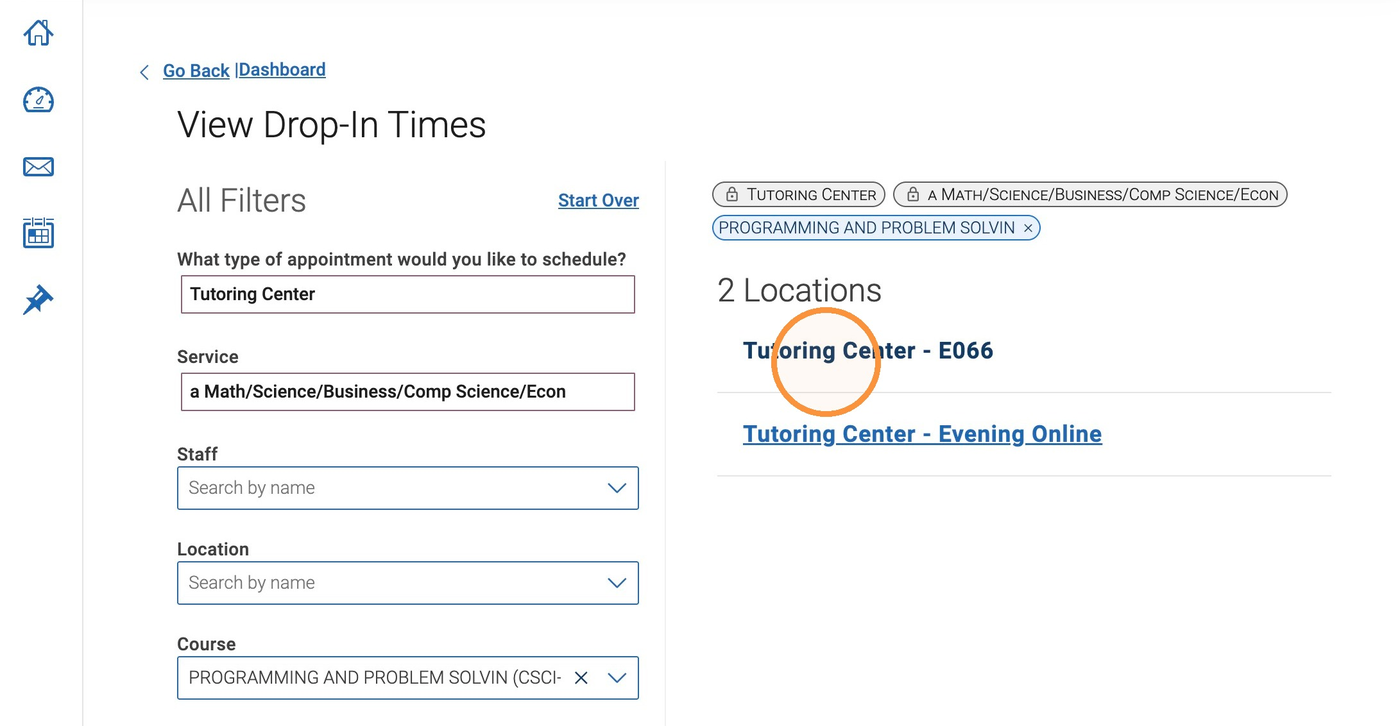
Choose a location or modality
Choose Tutoring Center – E066 for in person, or Evening Online.
-
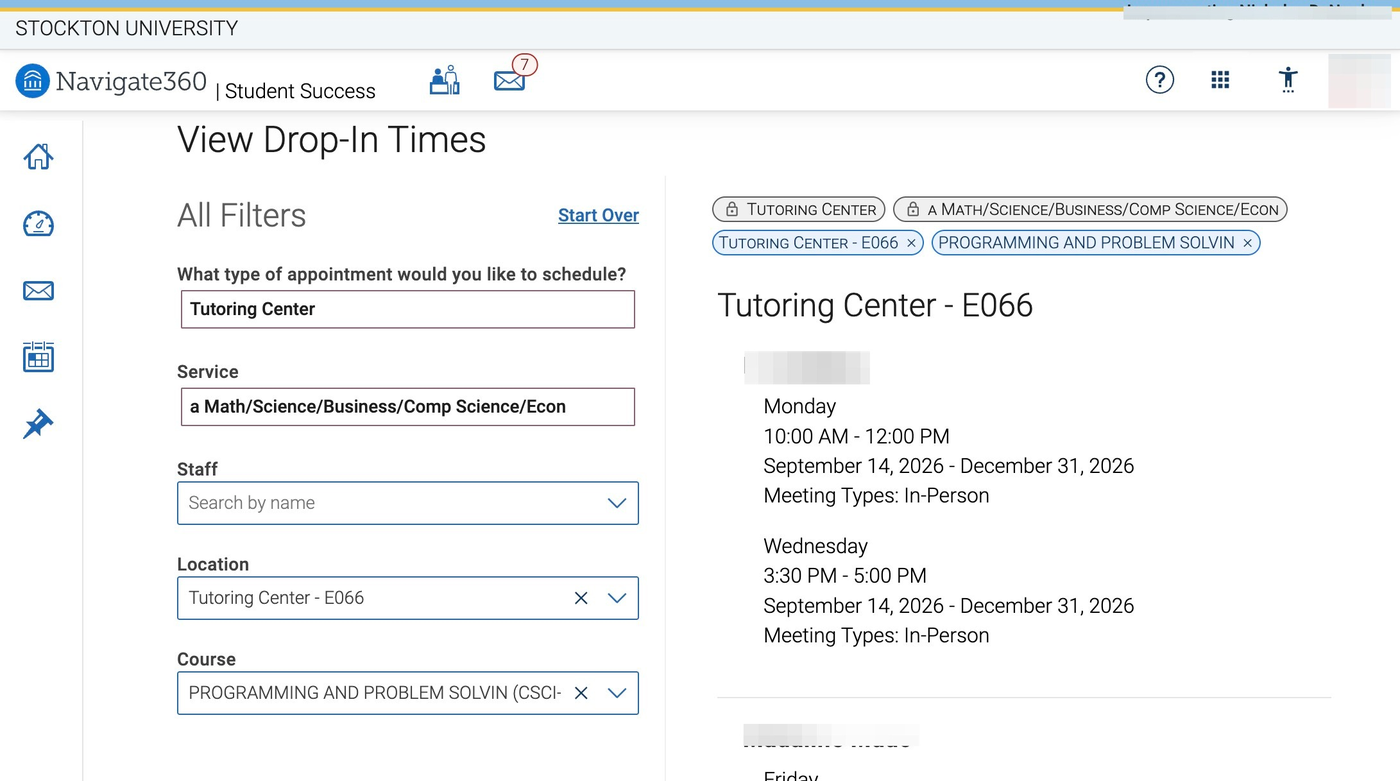
View available tutors
The list shows tutors and drop-in times for your course. You can come during any listed time; no appointment needed.
If you still need help finding a math tutor, please contact Luis Peña at 609-652-4897 or email Luis.Pena@stockton.edu